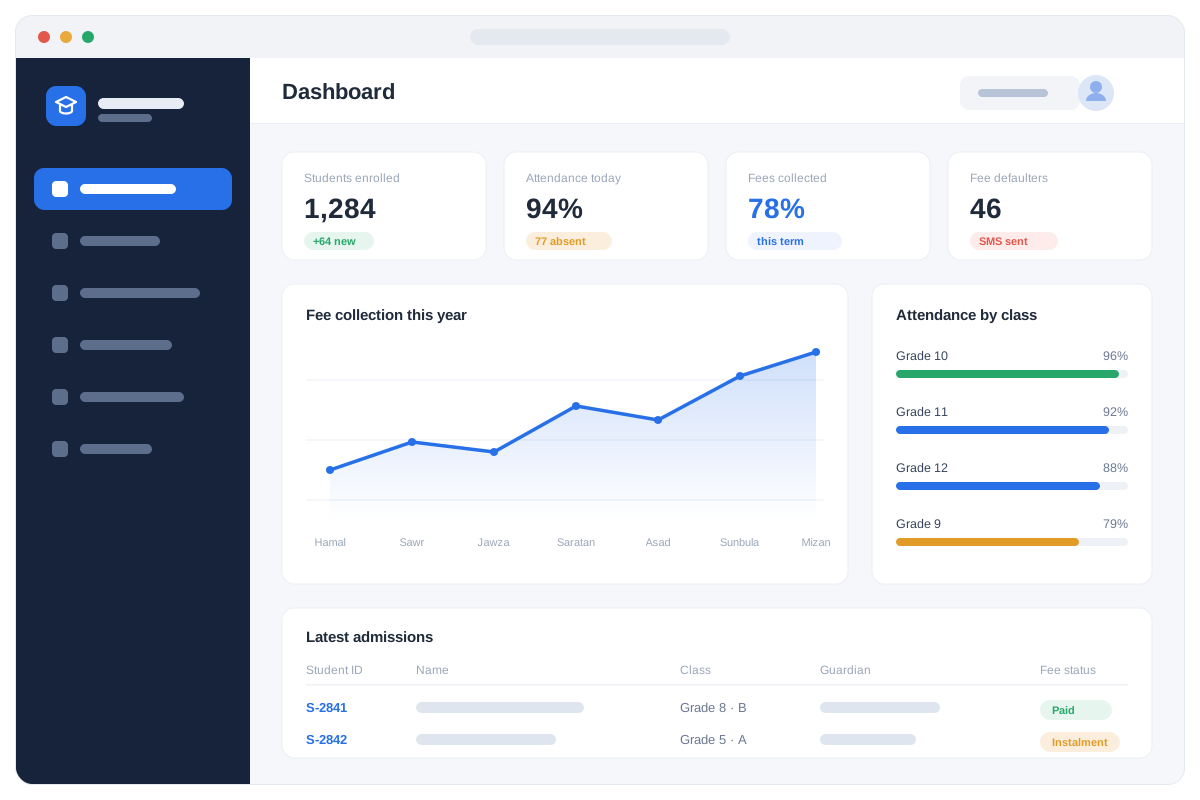
One platform covers the whole education sector: a school with grades and parents, a university with faculties, credit hours and semesters, and a training institute with short courses and certificates. Admissions, attendance, examinations, results, teachers, fees and finance all sit on the same database, so a student is registered once and the fee ledger, the mark sheet and the attendance register always agree.
One system for K-12 schools, universities and training institutes
Shamsi academic calendar, terms and promotion built in
Parents get SMS for attendance, fees and results
Fee ledger, mark sheet and attendance register always agree
Mark sheets, transcripts and certificates on your own letterhead
The enrolment and collection figures the Ministry of Education asks for
02 How it works
From admission to graduation, one record
Follow a student from the admission desk to the final transcript — and see the system doing the work at each step.
01Admissions
Enrol a student once, and everything else follows
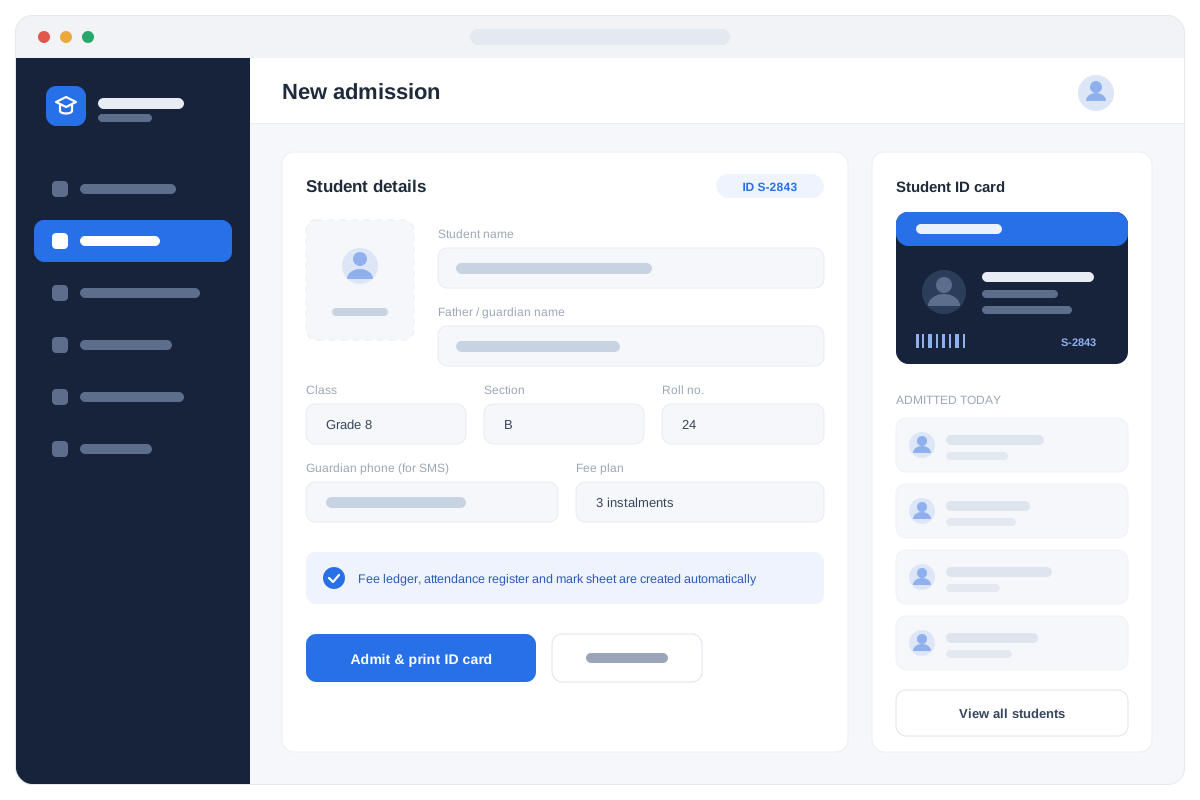
An admission creates one permanent record with a unique student ID, photo, guardian details and documents. From that single form the fee ledger, the attendance register and the mark sheet are all created automatically, so nothing has to be set up a second time. The ID card prints on the spot, and the same record carries the student from Grade 1 to graduation.
Applications, entrance tests and admission decisions
Unique student ID with photo and documents
Classes, sections, faculties and semesters
Guardian contacts captured for SMS
Fee plan and instalments set at admission
Year-end promotion keeps the full history
One record, reused every year — so the fee ledger, the register and the transcript can never drift apart.
02Attendance
A class marked in seconds, parents told the same morning
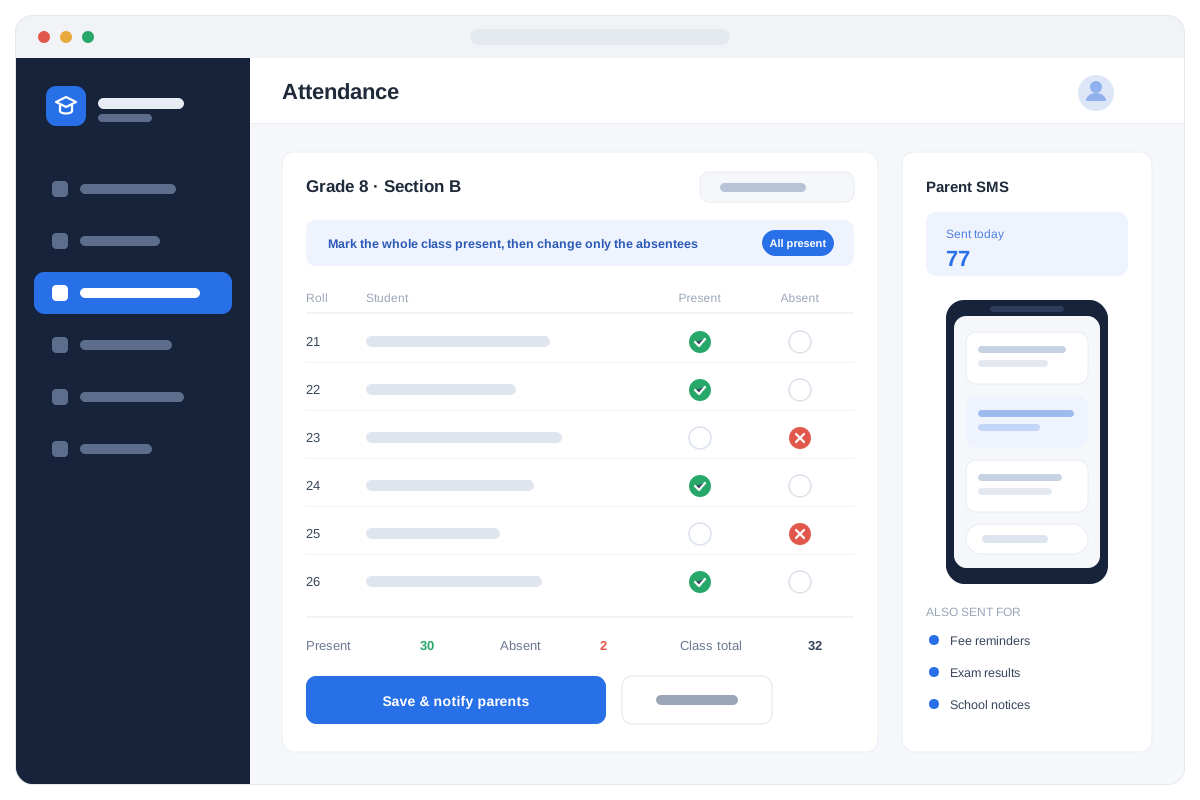
A teacher opens the class, marks everyone present and changes only the few who are absent — daily for a school, or period by period for a university. Parents of absentees get an SMS the same morning, without anyone making a phone call. Absence patterns build up on their own, so a student slipping away is visible long before the year ends.
Daily attendance, or period-by-period by subject
Mark the whole class present in one tap
Automatic SMS to the parents of absentees
Teacher attendance and leave alongside students'
Absence reports per student, class and month
Attendance percentage carried onto the report card
Parents hear about an absence on the day it happens, not at the end of the term.
03Examinations
Marks in, grades and mark sheets out
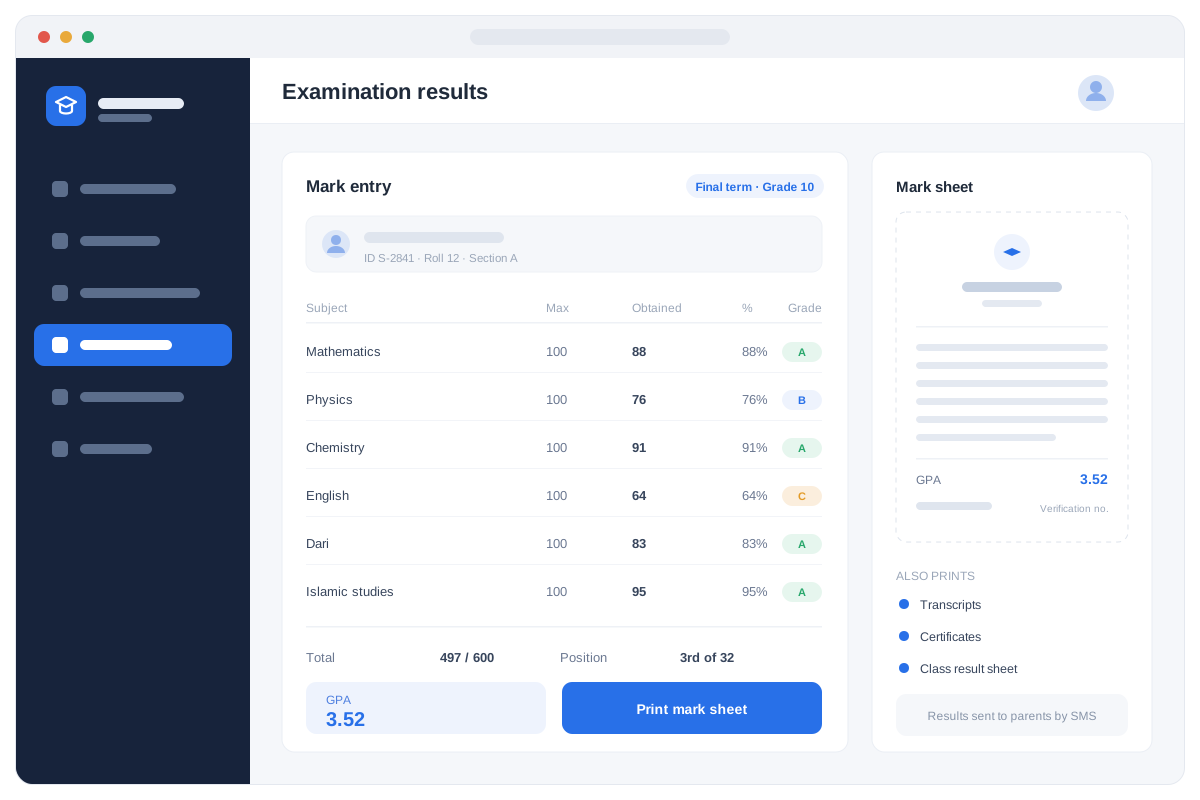
Teachers enter marks per subject and the system does the rest: percentage, grade, total, class position, and GPA with credit hours for universities. Mark sheets, transcripts and certificates print on your own letterhead with a verification number, so a document can always be checked later. Results go to parents by SMS as soon as they are published.
Exam scheduling and seating plans
Mark entry per subject, with automatic grades
Totals, percentage and class position
GPA and credit hours for universities
Mark sheets, transcripts and certificates
Verification number on every printed document
No more evenings spent adding marks by hand — and no two teachers calculating a grade differently.
04Fees & finance
Every afghani billed, collected and accounted for
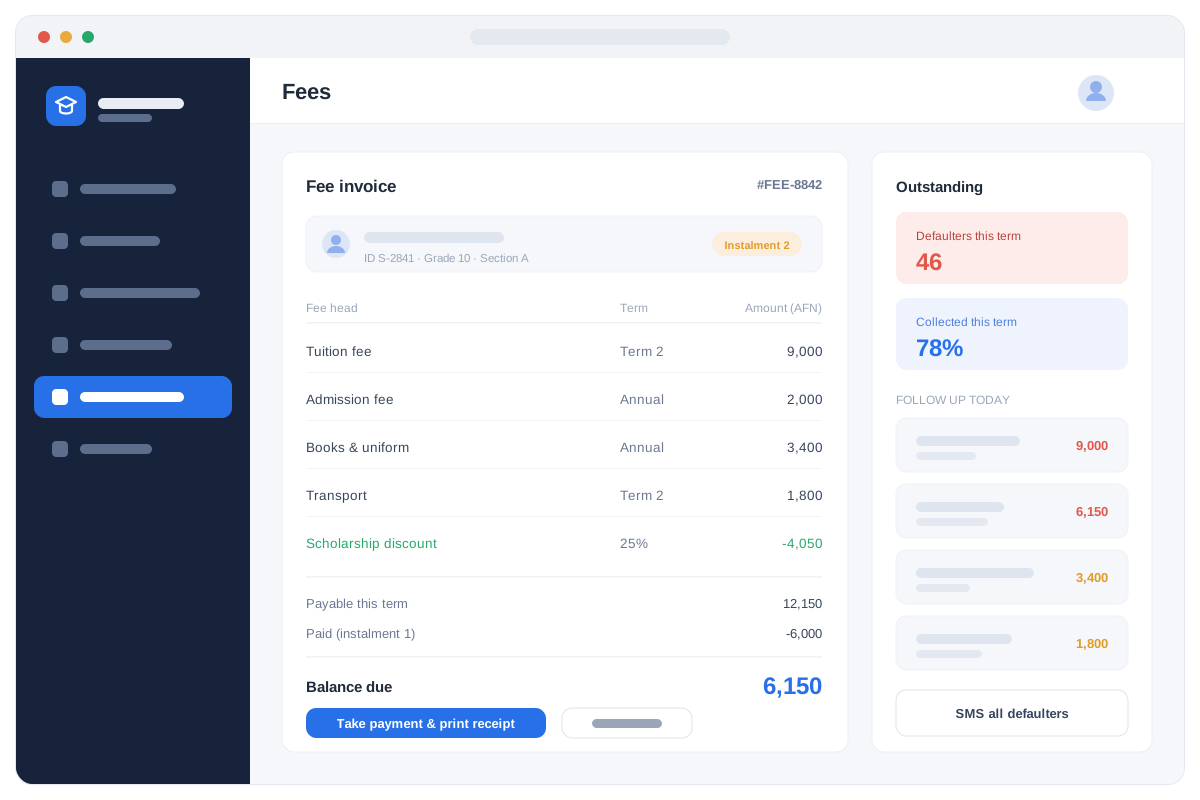
Set a fee structure per class or programme and the invoices raise themselves, including instalments, transport, books and any scholarship discount. Receipts print as payment is taken, balances update instantly, and the defaulter list tells the office exactly who to call today. Everything posts into the accounts, so collection and the ledger always agree.
Fee structures per class, programme or semester
Instalments, discounts and scholarships
Receipts printed as payment is taken
Live outstanding balances and defaulter lists
Fee reminders sent to parents by SMS
Collection posted straight into the accounts
Fee collection is where most schools lose money quietly — here the gap is visible the day it appears.
03 Modules
Everything included
Every module below is included. Switch on what you need today and add the rest as you grow.
01
Admissions & registration
Applications, entrance test results, admission decisions and enrolment. Each student gets a unique ID and a permanent file with photo and documents.
02
Students & classes
Classes, sections, faculties, departments and semesters. Assign students, promote them at year end, and keep the full academic history in one place.
03
Attendance
Daily attendance by class or by subject period, teacher attendance, absence reports, and automatic SMS to parents when a student misses school.
04
Timetable & scheduling
Class timetables, subject allocation, teacher workload and room allocation — with clashes caught before they happen.
05
Examinations & results
Exam scheduling, seating plans, mark entry per subject, automatic grade calculation, GPA and credit hours for universities, plus printed mark sheets and transcripts.
06
Courses & credits
For universities and institutes: courses, credit hours, prerequisites, semester registration, repeat students and course completion.
07
Fees & finance
Fee structures per class or programme, invoices, instalments, discounts and scholarships, receipts, outstanding balances and defaulter lists.
08
Teachers & HR
Teacher records, subject allocation, attendance, leave, contracts and salary.
09
Library
Book catalogue, issue and return, fines and lost-book tracking.
10
Certificates & transcripts
Print certificates, transcripts and completion documents on your own letterhead, with a verification number.
11
SMS & parent portal
Parents receive attendance, fee and result notifications; staff and management see live dashboards.
12
Reports & dashboards
Enrolment, attendance rates, examination performance, fee collection and defaulters — the figures management and the Ministry of Education ask for.
If you recognise your organisation here, we can show you the system running with data close to yours.
Schools (K-12)
Universities
Training institutes
Educational complexes
Language & IT centres
07 Questions
Before the demo
01Does Education Management System work without internet?
Yes. Installed on your own server it keeps running when the connection drops; the cloud option syncs when it returns. Most of our customers run it locally for exactly this reason.
02How long does it take to go live?
Two to six weeks: data migration, configuration to your departments and prices, staff training, then a supervised go-live with our engineers on site.
03Can it be changed to match how we work?
Yes. Departments, services, prices, documents and reports are configured for you, and our engineers build custom modules when a step of your process does not exist yet.
04Who owns the data?
You do. It sits in a SQL Server database you can back up and export at any time, and we hand over a full export if you ever leave.
05What happens after go-live?
Phone and WhatsApp support, remote help, on-site visits from Kabul and Jalalabad, retraining for new staff, backups and version upgrades under an annual agreement.
Hello! I'm the Yakclick assistant. Ask me about our management systems, pricing, setup time or support — or leave your phone number and our team will call you.