

Hospital Management System
One system from the reception desk to the balance sheet
Patients, appointments, laboratory, pharmacy, stock, billing and staff — the whole hospital in one system.
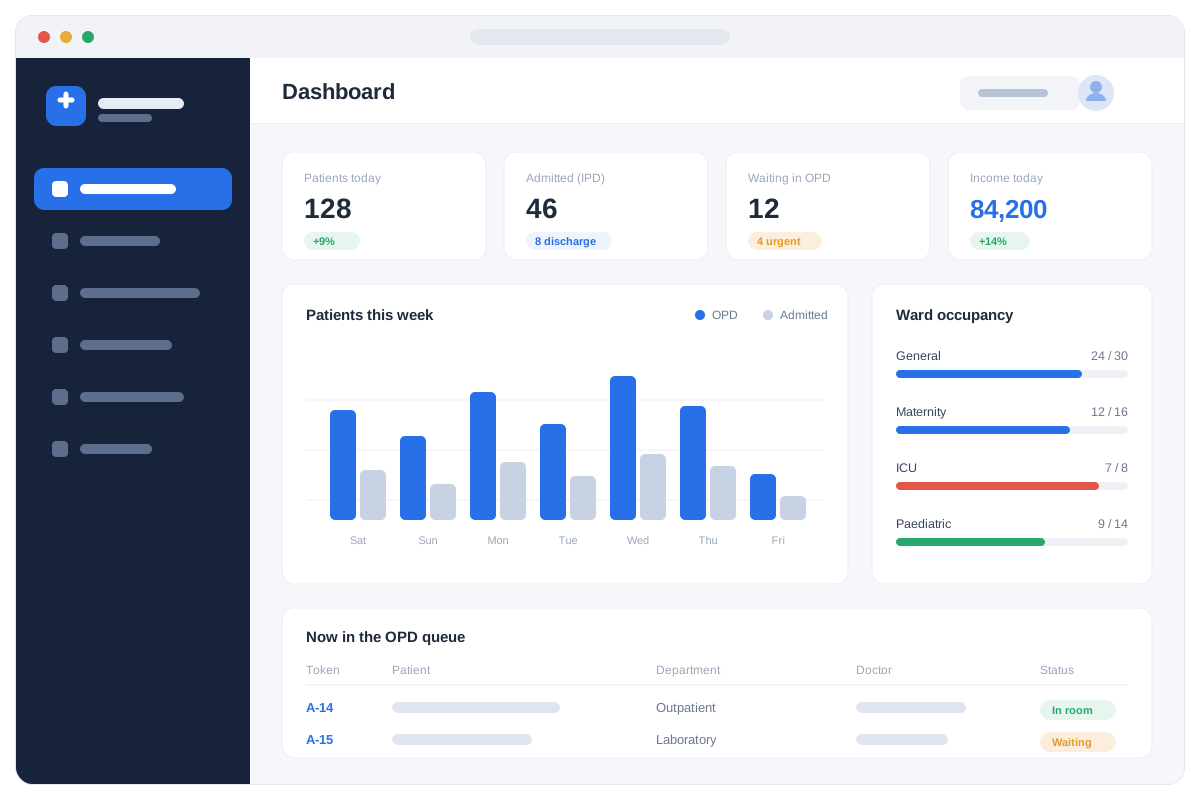
- 8 Hospitals live today
- 15 Modules included
- Any browser No heavy installs
- 2–6 Weeks to go live
A hospital loses money and time in the gaps between departments: a patient registered on paper at reception, a laboratory result carried by hand, a medicine dispensed but never billed. Our Hospital Management System closes those gaps. Registration, clinical work, laboratory, pharmacy, stock, billing, HR and reporting all run on one database, so a patient is entered once and every department sees the same record in real time — and it is simple enough that your staff are working on it within days, not months.
- Live in Akbar Urology Hospital, Adei Medical Complex, Adei Plus, Adei Baby, Adei Neno, Adei Eme, Adei Maternity and Ibadat Hospital
- Browser-based across every department — no heavy installs on each machine
- Role-based access, so each staff member sees only their own screens
- Works on your own server inside the hospital — it keeps running when the internet drops
- Reception, doctors, laboratory, pharmacy, wards, cash and HR on one record
- On-site help and training from our Kabul and Jalalabad offices
One patient record, every department
Follow a patient from the reception desk to the cashier — and see the system doing the work at each step.
Every patient registered once, found in seconds
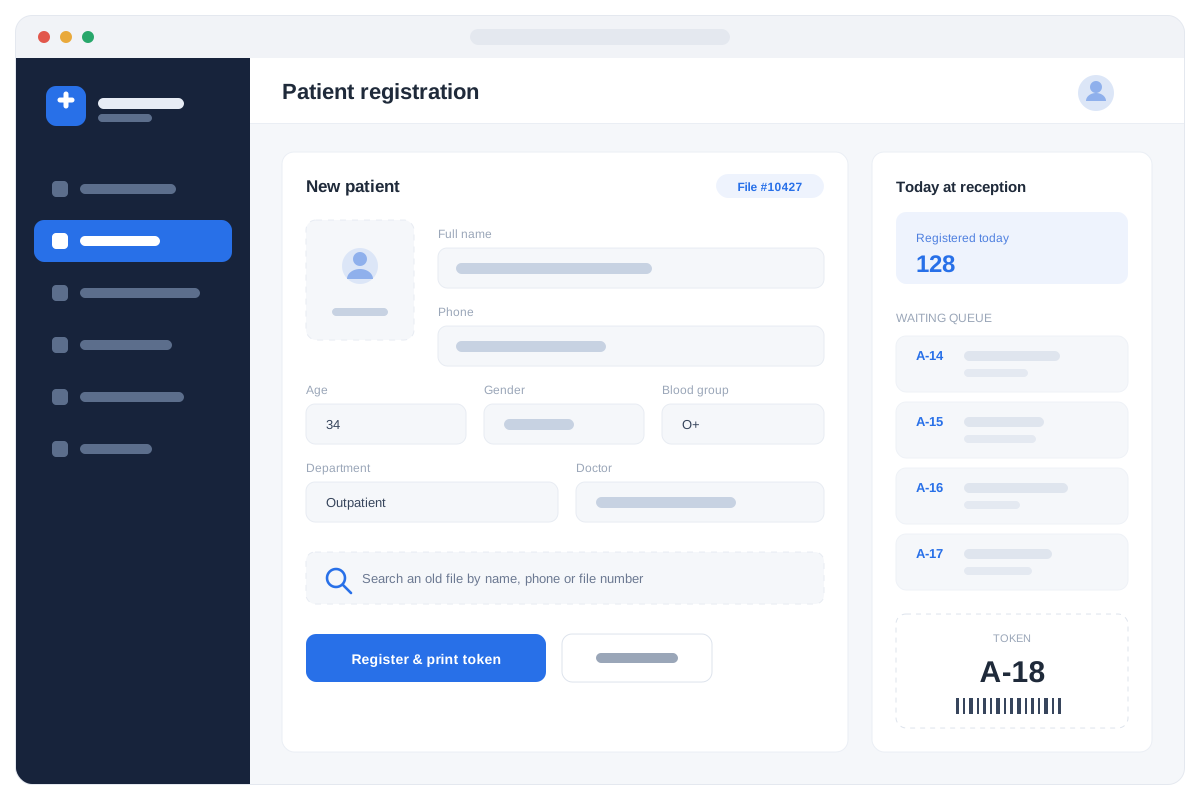
Reception sets the tone for the whole visit, so registration was built to take seconds rather than minutes. A new patient gets a unique file number, photo and contact details; a returning patient is found by name, phone or file number without anyone searching a cupboard. From there the token is printed and the patient is in the queue that every consulting room can see.
- Register a new patient in seconds
- Reopen an old file by name, phone or file number
- Printed tokens and a live OPD queue
- Appointments booked against a doctor's schedule
- Photo, age, gender and blood group on the file
- One record reused for every future visit
The file created at reception is the same file the doctor, the laboratory, the pharmacy and the cashier all work from.
The doctor sees the patient, not a paper file
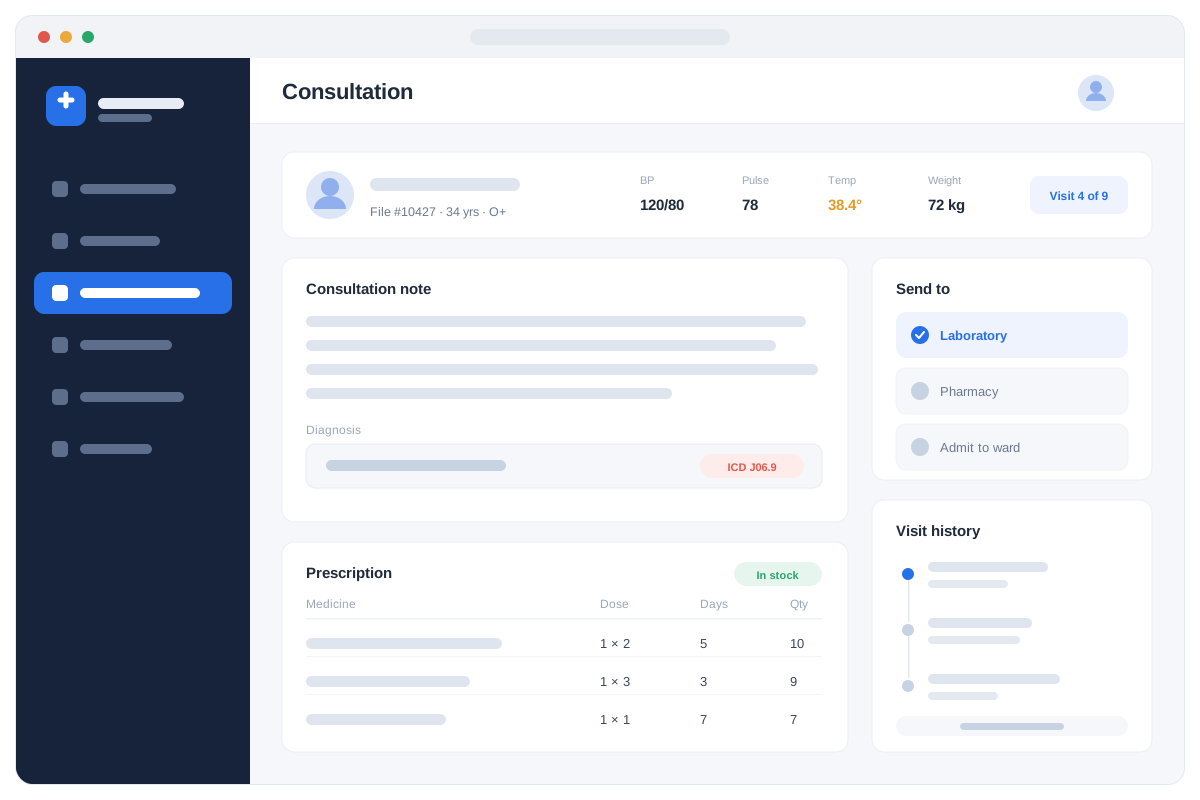
When the patient sits down, the doctor already has the vitals, the past visits, the previous results and the last prescription on one screen. Notes, diagnosis and prescription are written in the same place, and a lab test or a medicine is ordered with one click instead of a slip of paper. Admission, bed allocation, transfer and discharge run from the same record.
- Notes, diagnosis and prescription on one screen
- Full visit history, vitals and past results
- Order lab tests and medicines without paper
- Admit, transfer and discharge with a summary
- Live bed occupancy for every ward
- Emergency triage, theatre records and nursing handover
Nothing is carried by hand between departments — the order arrives in the lab or the pharmacy the moment it is written.
Results that are clean, checked and printable
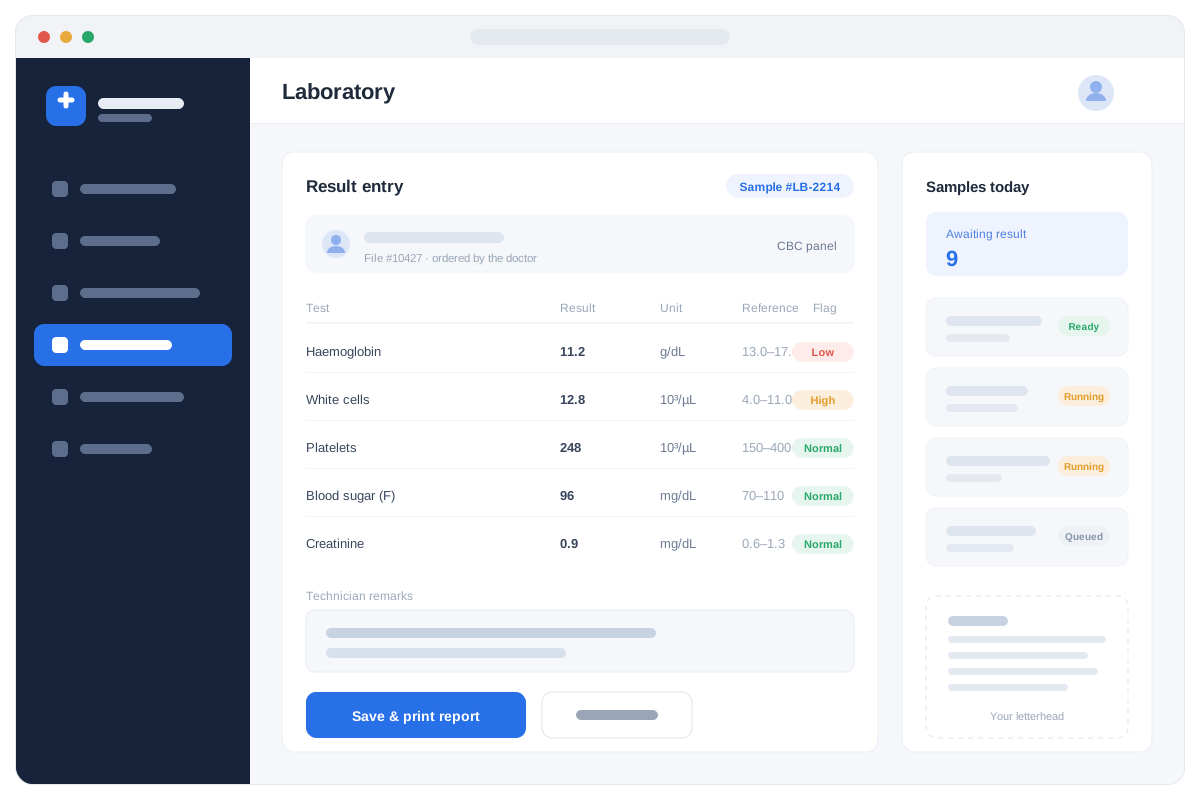
Tests ordered by the doctor appear in the laboratory queue on their own, with the patient and the sample already attached. Technicians enter results against reference ranges, and anything out of range is flagged as it is typed, before the report leaves the room. The finished report prints on your hospital's letterhead and goes straight back onto the patient's file.
- Test orders arrive from the doctor automatically
- Sample tracking from collection to result
- Reference ranges with high and low flagged
- Reports printed on your own letterhead
- Results saved to the patient's permanent file
- Laboratory income counted in the daily figures
The doctor sees the result on the patient's record as soon as the technician saves it — no phone call, no carried paper.
Medicine dispensed, stock controlled, money captured
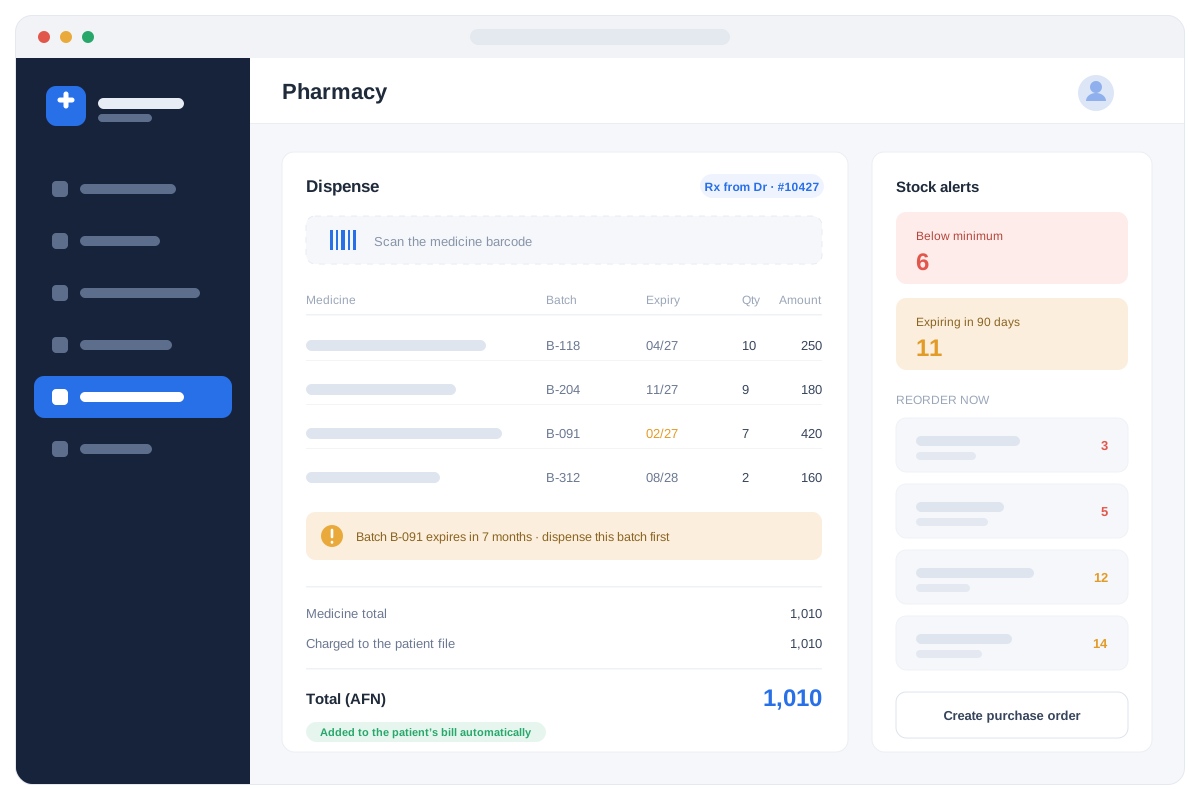
The pharmacy dispenses against the patient's file, so what was actually given is what gets billed — the quiet leak in most hospitals. Every medicine carries its batch and expiry, expired stock is stopped before it can be handed over, and the counter warns you which batch to use first. Low stock and items expiring within ninety days are listed before they become a problem.
- Dispense against the patient's file and prescription
- Barcode scanning at the pharmacy counter
- Batch and expiry tracking on every medicine
- Expired stock blocked from being dispensed
- Below-minimum and expiring-soon alerts
- What is dispensed is billed automatically
Medicine given but never billed is one of the largest losses in a hospital — here it simply cannot happen.
One bill per patient, and the figures your board asks for
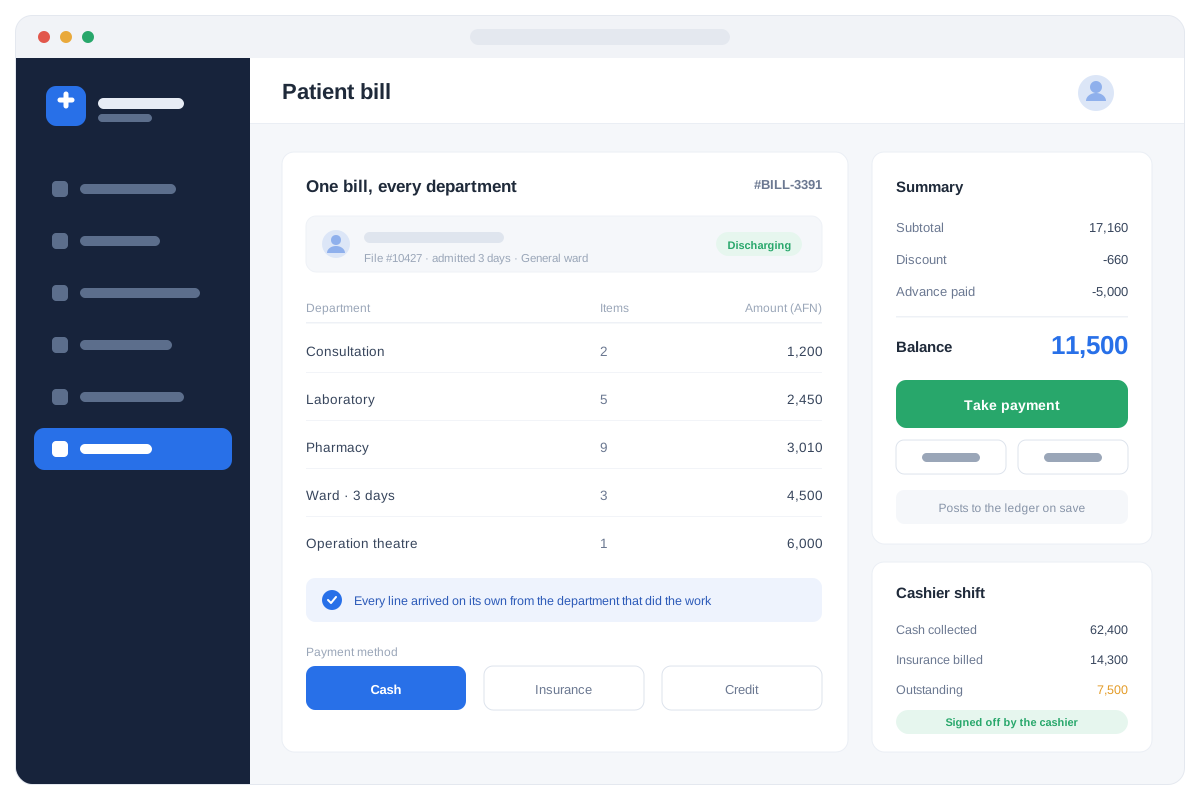
Consultation, laboratory, pharmacy, ward days and theatre charges gather onto a single bill on their own, as each department does its work. The cashier takes cash, credit or insurance, prints the receipt, and closes the shift with a signed cash summary. Behind that, management sees patient counts, department revenue, outstanding bills and the monthly figures the board and the Ministry of Public Health ask for.
- One bill covering every department
- Cash, credit and insurance, with advances and refunds
- Shift-wise cash closing the cashier signs off
- Revenue by department and by doctor
- Outstanding bills and who still owes
- Exportable, printable reports for your board
Because every charge is raised by the department that did the work, the bill is complete before the patient reaches the cashier.
What is inside Hospital Management System
Every module below is included. Turn on what you need today and add the rest as you grow.
Patient registration
Register new patients in seconds with a unique file number, photo and contact details, and reopen an old file by name, phone or file number. One record follows the patient through every department and every future visit.
Appointments & queue
Book visits against a doctor's schedule, manage the OPD queue and print patient tokens. Reception and the consulting rooms see the same live queue, so nobody is called twice or forgotten.
User accounts & roles
Give each staff member access only to the screens they need — a nurse, a cashier and the director see different systems. Every action is logged against the user who made it.
Doctor workspace
Write notes, diagnoses and prescriptions on one screen, with the patient's full visit history, vitals and past results beside you. Lab tests and medicines are ordered straight from the same page.
Admissions & beds (IPD)
Admit patients to a ward, see which beds are free right now, transfer between wards, and discharge with a full summary. Daily bed charges are added to the bill automatically.
Emergency & nursing
Triage in the emergency room, operation-theatre records, nursing notes and a clean shift handover, so the next team starts knowing exactly what happened.
Laboratory
Register tests ordered by the doctor, track the sample, enter results against reference ranges, and print clean reports on your hospital's letterhead. Out-of-range values are flagged as they are entered.
Dental
Set up dental treatments and procedures with your own pricing, record what was done per tooth, and bill each procedure clearly.
Surgery & operation theatre
Schedule operations, record what was done and what was used, and post theatre charges and consumables to the patient's bill.
Pharmacy & stock
Dispense medicine against the patient's file with barcode scanning, live stock, batch and expiry tracking. Expired stock is blocked, low stock is flagged, and what is given is billed automatically.
Cash & finance
Record income and expenses in AFN with cash, bank and a daily balance, one bill per patient across every department, and a shift closing the cashier signs off.
HR & payroll
Employee records, duty rosters, staff attendance and monthly salaries for doctors, nurses and administration — with salary costs landing in the accounts.
Dashboards & reports
Daily income, patient counts, admissions, department revenue and outstanding bills on live dashboards, with everything exportable and printable for your board.
Settings & pricing
Set up your own departments, services, prices and hospital branches, so the system matches how your hospital already works.
Training & support
Staff training, updates and on-site support after go-live, from our Kabul and Jalalabad offices.
Built for organisations like yours
If you recognise your organisation here, we can show you the system running with data close to yours.
See Hospital Management System running
A free demo with data close to yours — at your site, in our Kabul or Jalalabad office, or online.